Overview
A sales floor runs on knowing who is free, who is on a call and who is on a break. Team leaders need that live, for hundreds of agents at once. When we moved calling onto our own system inside the CRM, agent status came with it: one button for the agent, one live screen for the team leader.
The problem
- Two portals side by side. Agents worked leads in our CRM and kept an outside calling provider's portal open next to it all day, managing both.
- Status lived in the wrong place. Going on a break or changing status had to be done in the provider's portal, not where the agent was working.
- Little reporting flexibility. The provider showed agent activity, but it knew nothing about our leads and teams, and we couldn't shape its reports around how we run the floor.
- No control over features. Anything team leaders needed had to wait on another company, or didn't happen at all.
Goals
- One place for the agent. Status, calls and leads in the same CRM, with no second portal to manage.
- Ours to shape. Reports and features built around how we run the floor, on our own schedule.
- One live view for team leaders. Every agent's status, call and timer, updating every second.
- Simple for the agent. One button, no screen locks, no approval steps for a break.
The solution
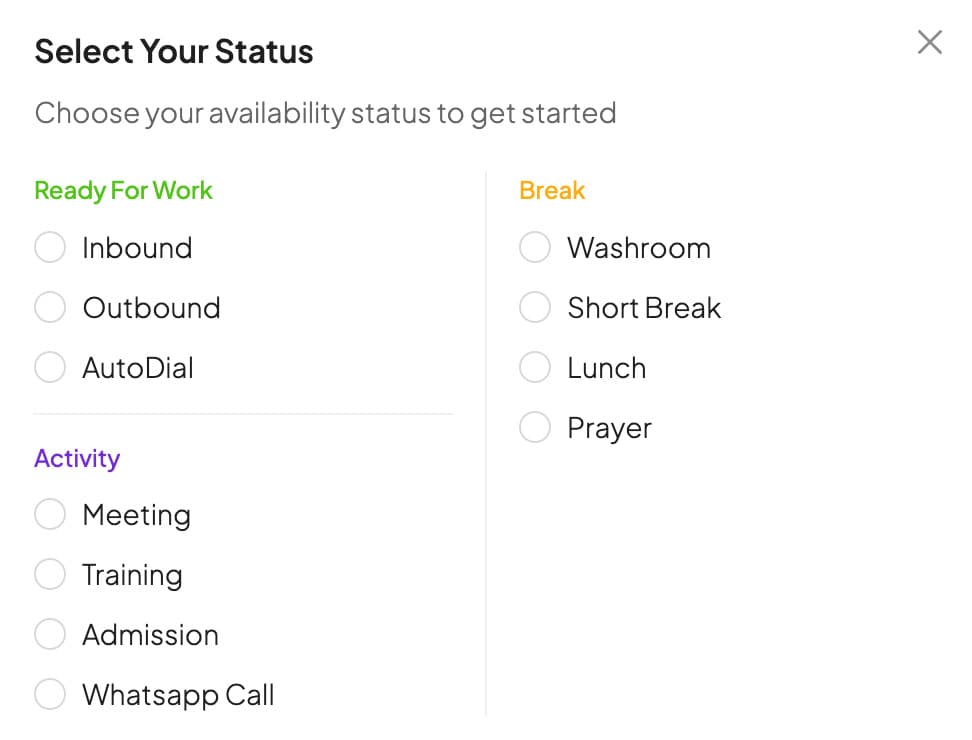
A single status button in the CRM header. When an agent logs in it asks what they're doing, grouped into three kinds: ready for work, break, and activity. During a call and wrap-up the CRM sets the status on its own, and after wrap-up it puts the agent back where they were.
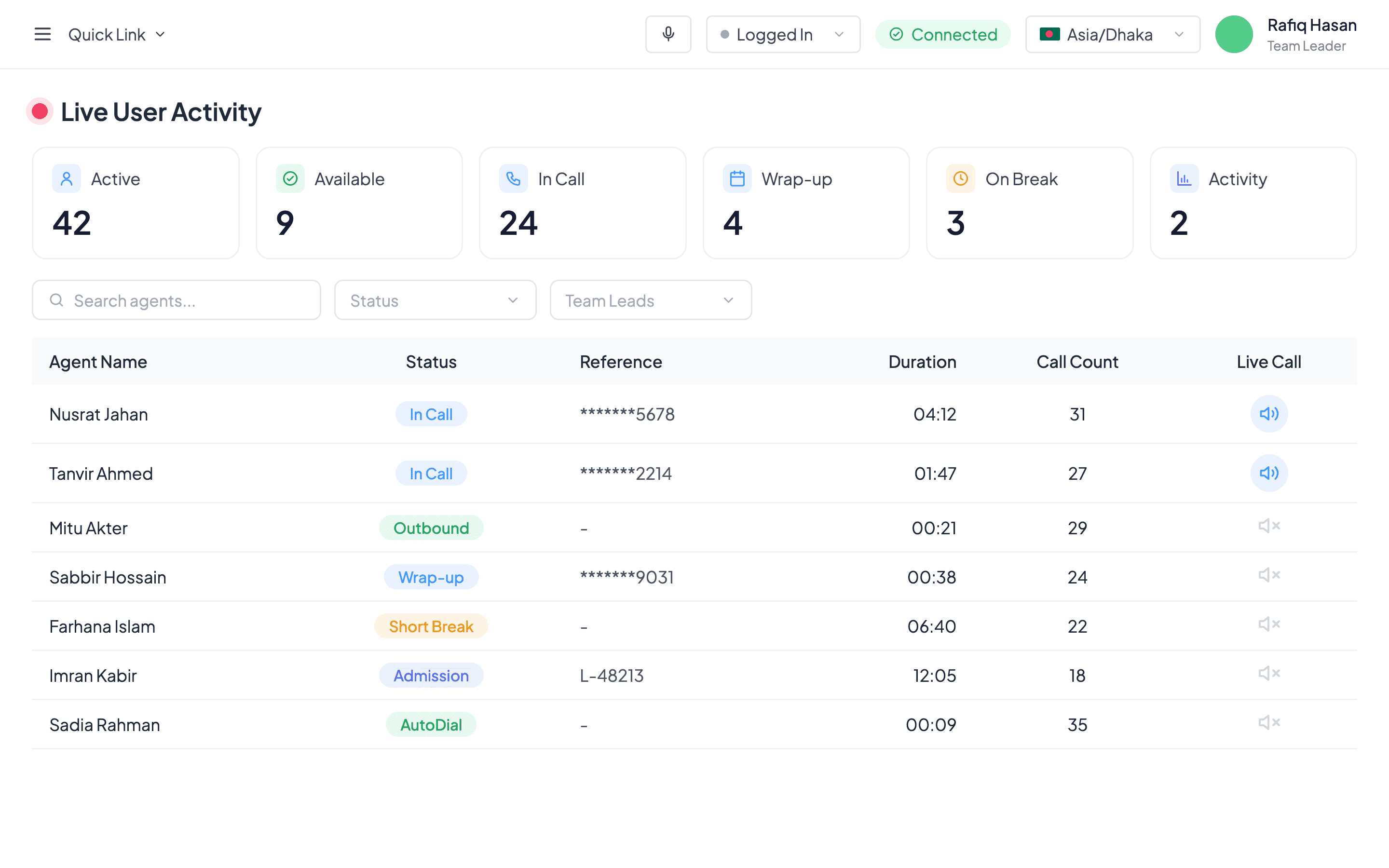
Team leaders get Live User Activity: counts at the top (active, available, in call, wrap-up, on break, activity), filters by status and team leader, and one row per agent with their status, the number they're calling (masked), how long they've been in that state, and how many calls they've made today.
- Effort next to availability. A team leader could see someone was idle, but not whether they had made forty calls that day or two. A call count for the day, across inbound, outbound and autodial, now sits beside the live status.
- Survives a refresh. Refreshing or opening another tab doesn't change an agent's status. Only logging out ends it.
Decisions and trade-offs
The agent picks their mode
Agents aren't fixed as inbound or outbound. They choose Inbound, Outbound or AutoDial when they go ready, and can switch, so one person can cover different work across a day.
No screen lock on a break
On a break the agent can still read the CRM; only calling is switched off. Locking the screen would stop them looking up a lead for a colleague.
The system owns call states
In Call and Wrap-up are set by the CRM, never by hand, so the live view always matches what is really happening.
Wrap-up before the next call
An agent can't take a call until wrap-up is saved, so notes and the next step are never skipped.
References only where they help
Admission and WhatsApp Call can carry an optional reference, like the student it's for. Other statuses ask for nothing.
What's next: listening in on a call
In planning: team leaders listening to a live call from the dashboard, to coach in the moment.
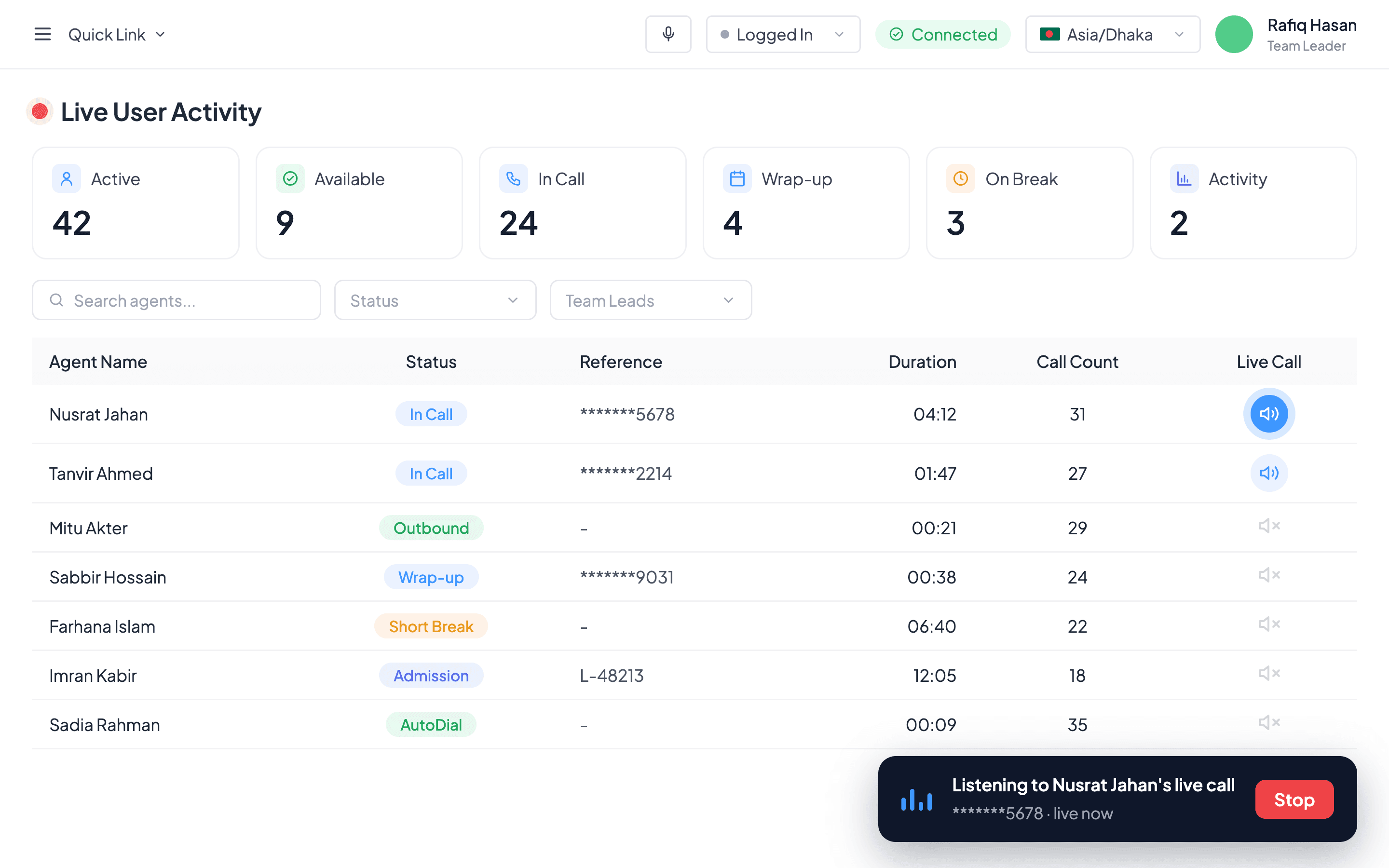
- Listen only. Neither the agent nor the student can hear the team leader, and the call isn't affected.
- Only your own team. Team leaders hear only agents who report to them, and managers only their team leaders' agents. The server refuses anything else.
- One call at a time. Starting another stops the first, and listening ends on its own when the call does.
What I learned
A second portal open beside the CRM is a small hassle that agents carry all day. Put every action where the work already happens, and owning it means you can shape it.
The CRM engineering team built it.
Back to all work