Overview
Calling is the core of Shikho's sales work. Hundreds of agents phone students and parents all day, and students ring our hotline for help. All of it used to run through an outside calling provider connected to our CRM. We replaced it with our own calling system, built into the CRM, and moved every kind of call over one at a time.
The problem
- Cost. Every call ran through a provider we paid for, at a scale of tens of thousands of calls a day.
- No control over features. When agents needed something changed, we had to wait on another company's roadmap, or go without.
- Call quality. Calls dropped mid-conversation and recordings could take hours to appear, and we had little power to fix either.
Goals
- Own the calling. Outbound, autodial and inbound, all on our system and inside the CRM agents already use.
- Move without stopping sales. Agents keep calling every day while the system underneath them changes.
- Shape it around our agents. Fix what gets in their way, on our own schedule.
The solution
Our own calling system, built into the CRM. Agents dial from the lead page, autodial rings the next lead when they're free, and hotline calls arrive with the caller's lead already open. We didn't switch everything on one day. Each kind of call moved over on its own, while the old provider kept running beside it:
First
Manual calls
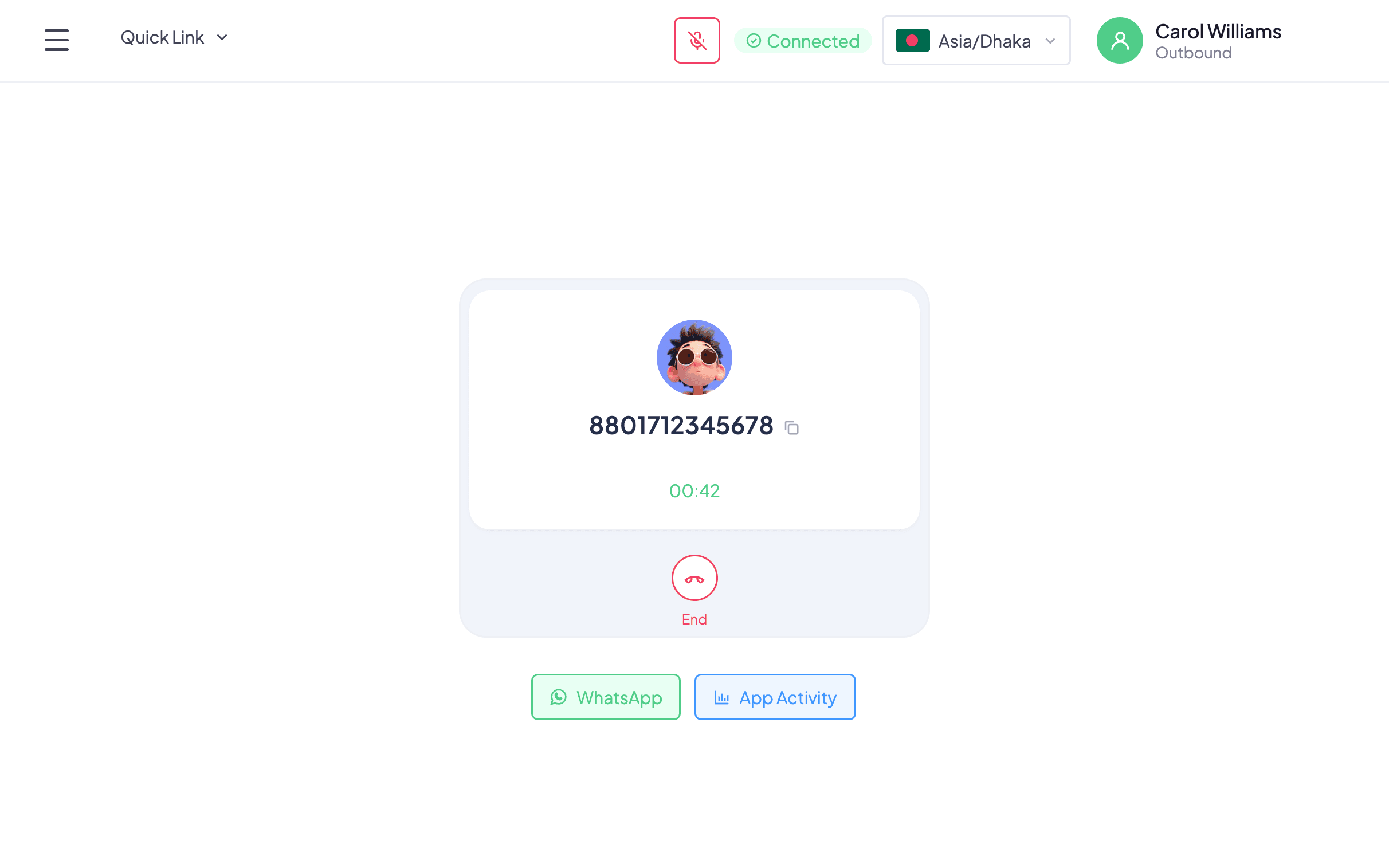
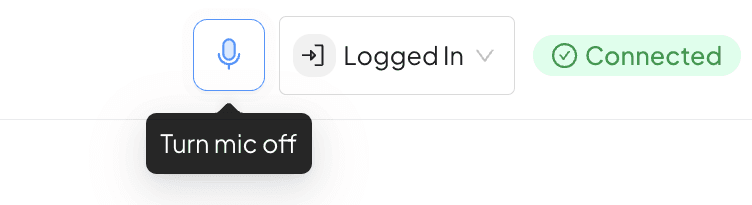
Agents dial from the lead page through our own system. A Connected or Disconnected badge in the header, with a Retry button, so nobody wonders why a call won't go through.
Next
Autodial
The old provider's autodial is first routed through our system, then moved over fully. The CRM rings the next lead as soon as an agent is free.
Then
Recordings
Every recording is backed up to our own storage.
Finally
Inbound
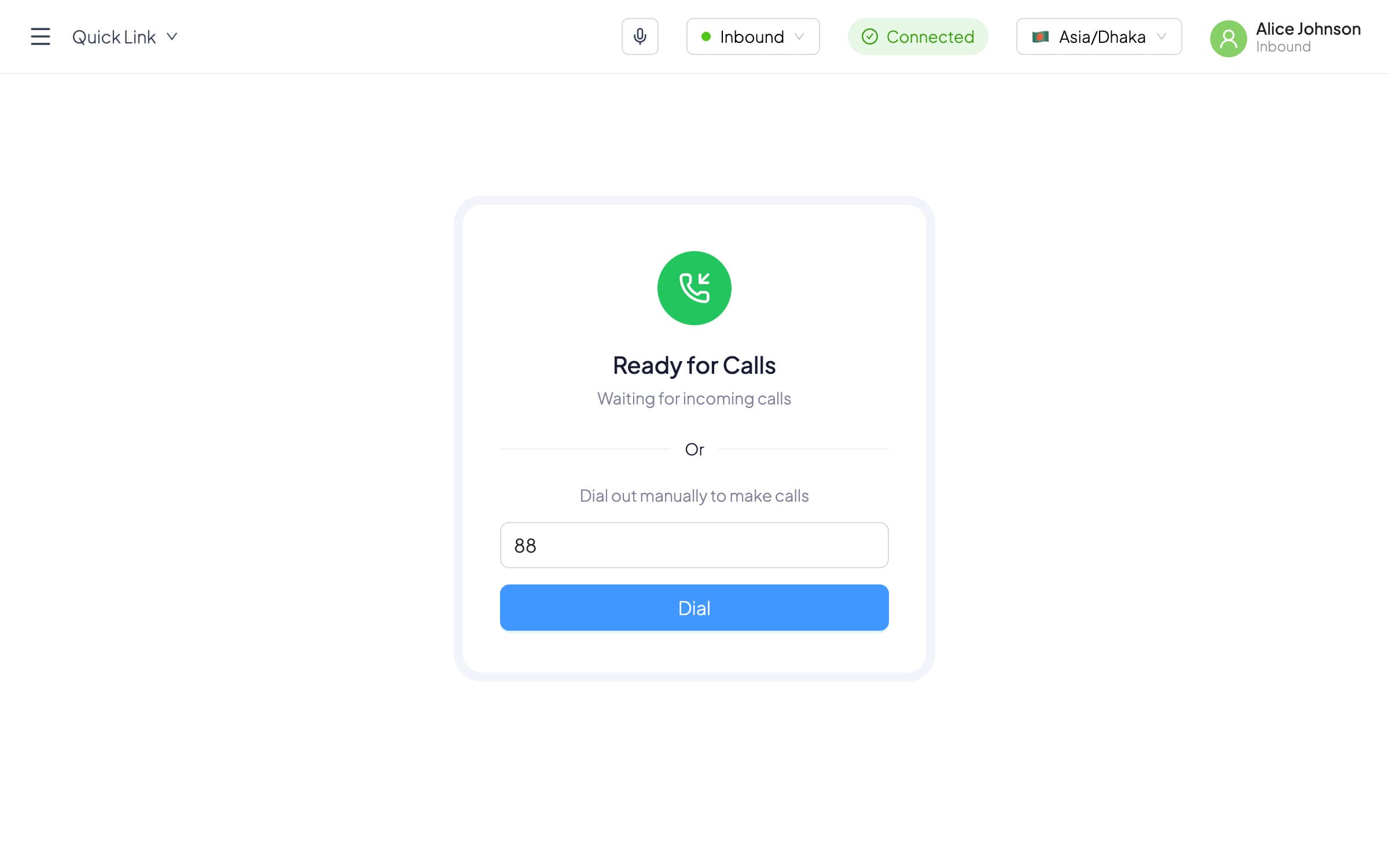
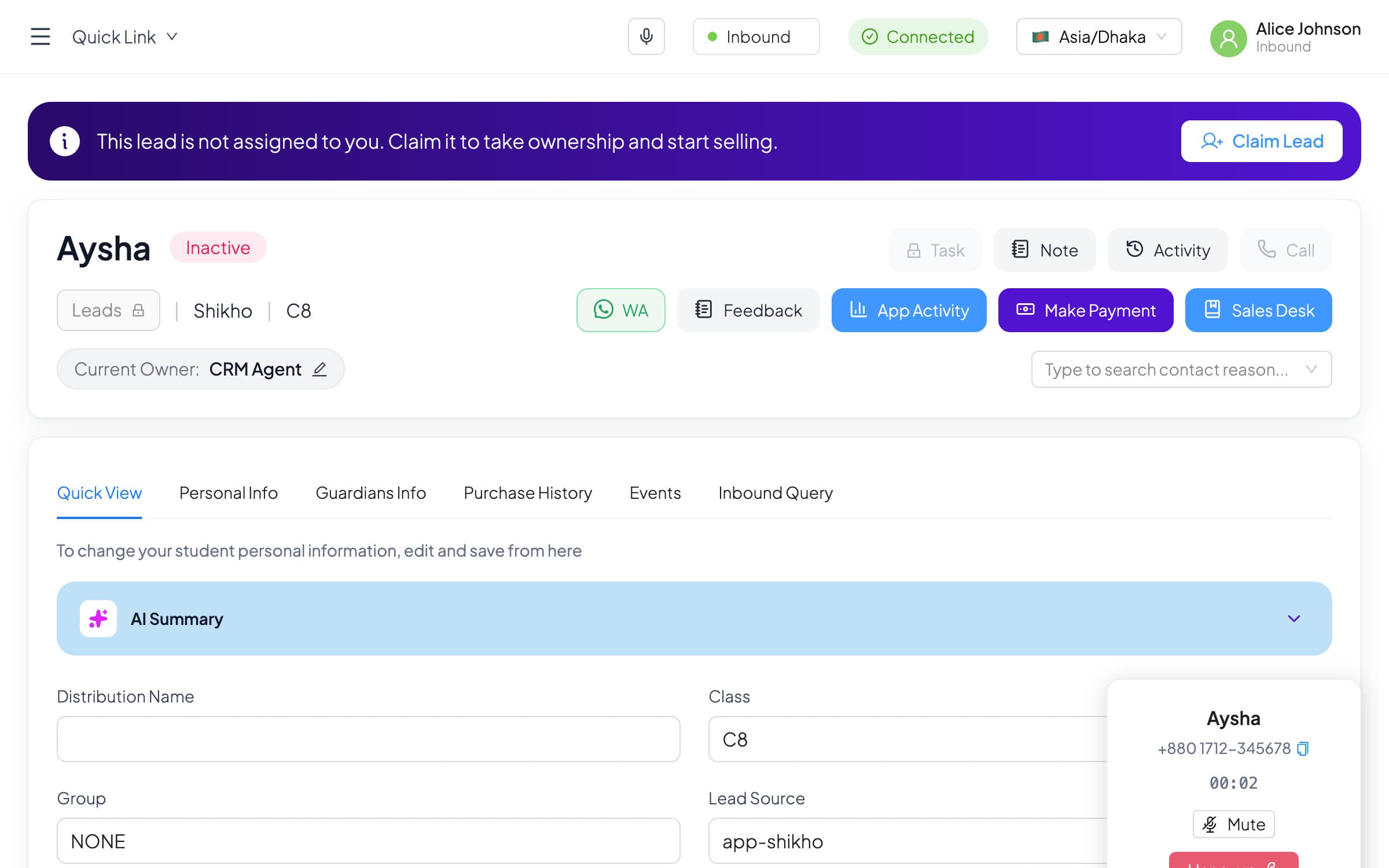
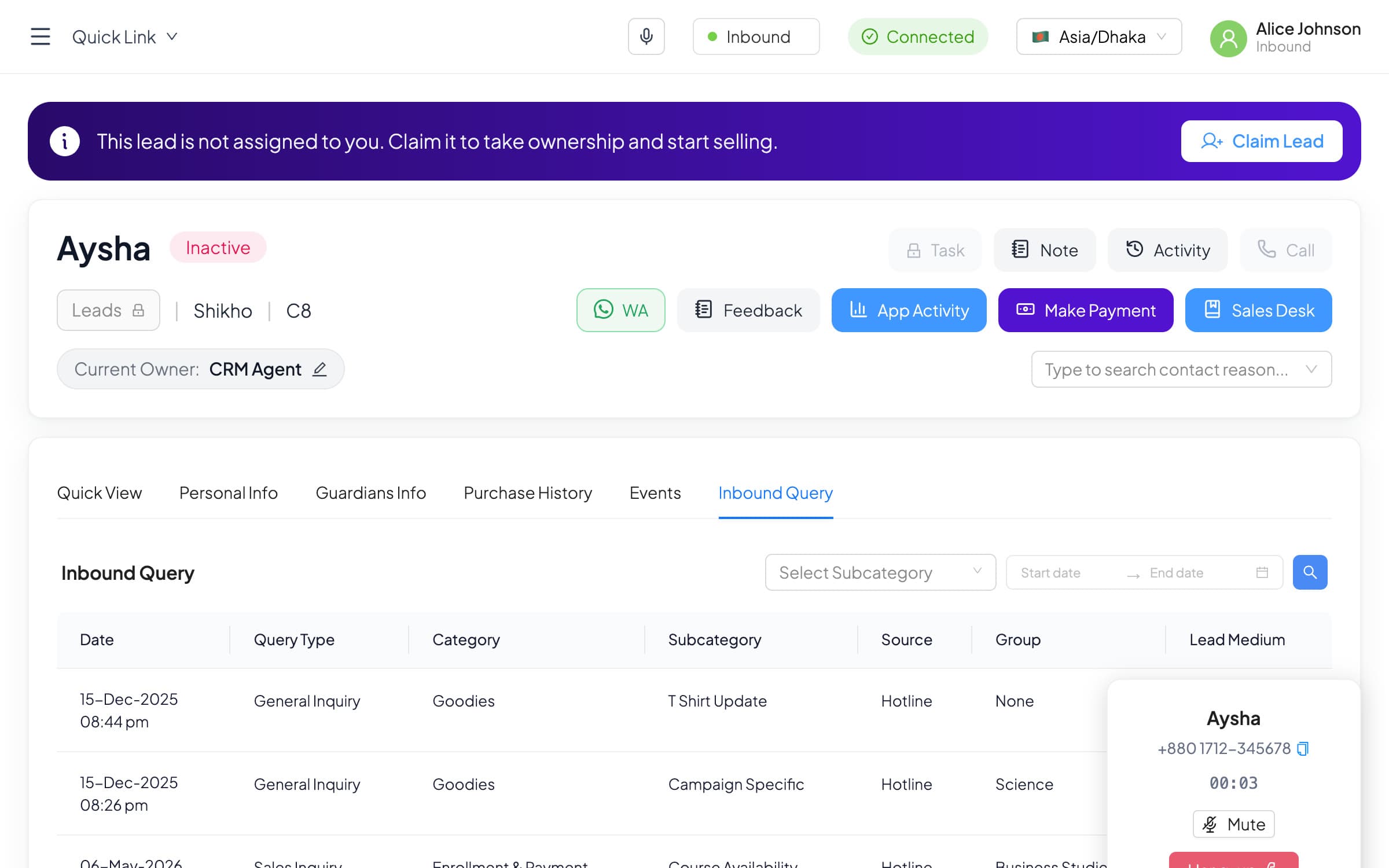
Students calling our hotline land on our system too, with the caller's lead opening on the agent's screen.
Inbound, step by step
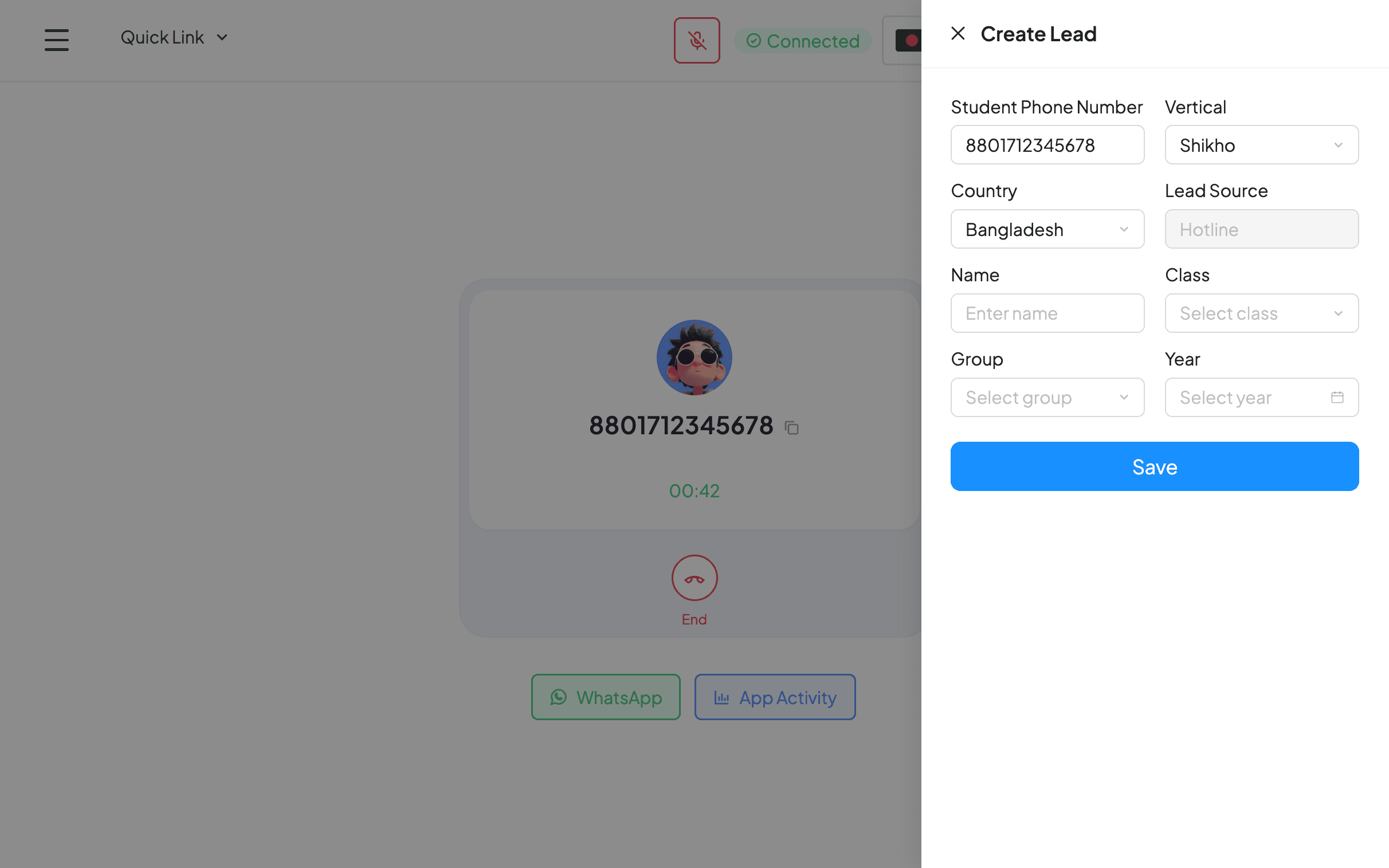
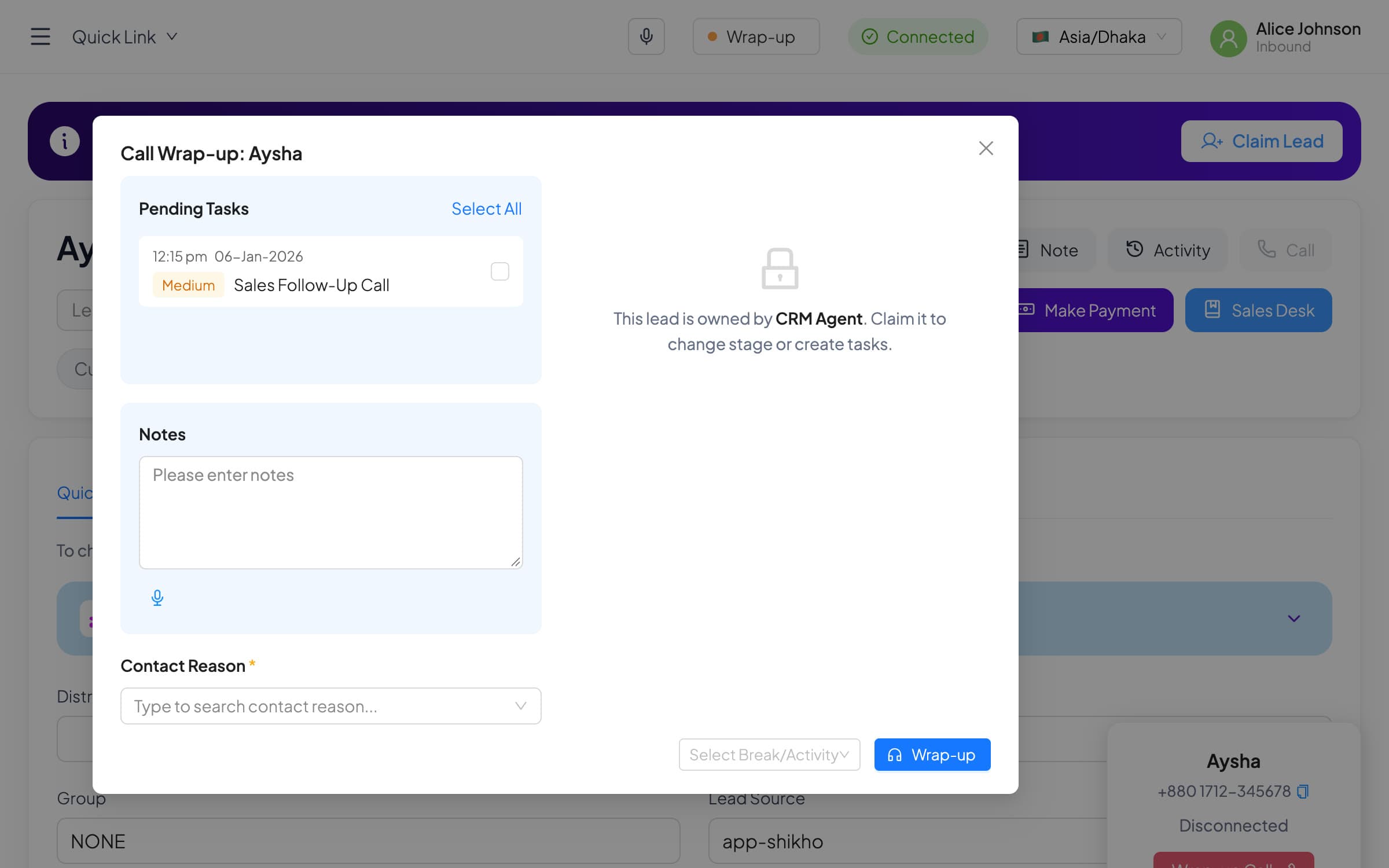
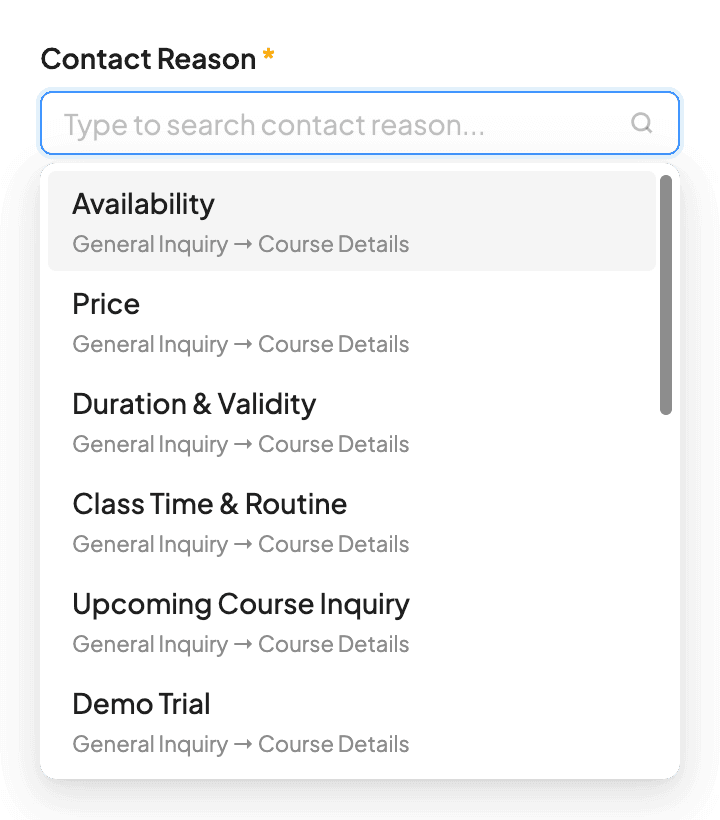
Moving the hotline over was the moment to fix how inbound calls worked. Before, an unknown caller could end the call with no lead created, so their question was lost, and an agent could change the stage on another agent's lead without anyone knowing. The rule became simple: every inbound call ends with a lead and a reason, and every lead has one owner.
What we fixed on the way
Owning the system meant we could finally fix what agents and callers ran into. A few from the release notes:
- Callers wait instead of being cut off. When every agent was busy, inbound calls used to drop. Now they wait in a queue and go to the next free agent.
- A welcome, and an after-hours message. Callers hear a greeting and a recording notice, or are told when to call back outside business hours.
- Inbound agents can dial out. No more switching status to make a call, and forgetting to switch back and missing incoming calls all day.
- Recordings arrive fast, calls stop dropping. Both came from one cause: recordings uploading during live calls. Moving the uploads fixed the two at once.
- Ringing back an outbound number goes somewhere. Students who called back the number an agent used heard silence. Now they hear that we'll call them back, and the CRM logs the attempt.
Decisions and trade-offs
One kind of call at a time
Manual calls first, then autodial, recordings and inbound, with the old provider running beside us. Slower than a single switch-over, but sales never stopped.
Show the connection
If the connection fails, an agent can't dial and doesn't know why. A Connected badge with a Retry button turns a silent failure into one click.
Every inbound call ends with a lead
Wrap-up can't finish until the caller has a lead, so every contact reason is attached to a real student and can be reported on.
Claim the lead on the call
When a caller belongs to another agent, the agent on the phone can take the lead over from the call, instead of asking someone to reassign it.
One owner per lead
On someone else's lead, stage and task are locked until it's claimed, so nobody overwrites another agent's work without knowing.
Results
Every kind of call now runs on our own system. In one recent week:
162,000+
calls in 7 days: about 150,000 outbound, 11,000 by autodial and 1,500 inbound, over 5,300 hours of talking to students and parents.
- 197 calls at once. The busiest moment in the last 3 months. In the last 7 days the peak was 171.
What I learned
Replacing a system people use all day isn't one launch. Move one piece at a time, keep the old one running, and fix what users hit along the way.
The CRM engineering team built it.
Back to all work