Overview
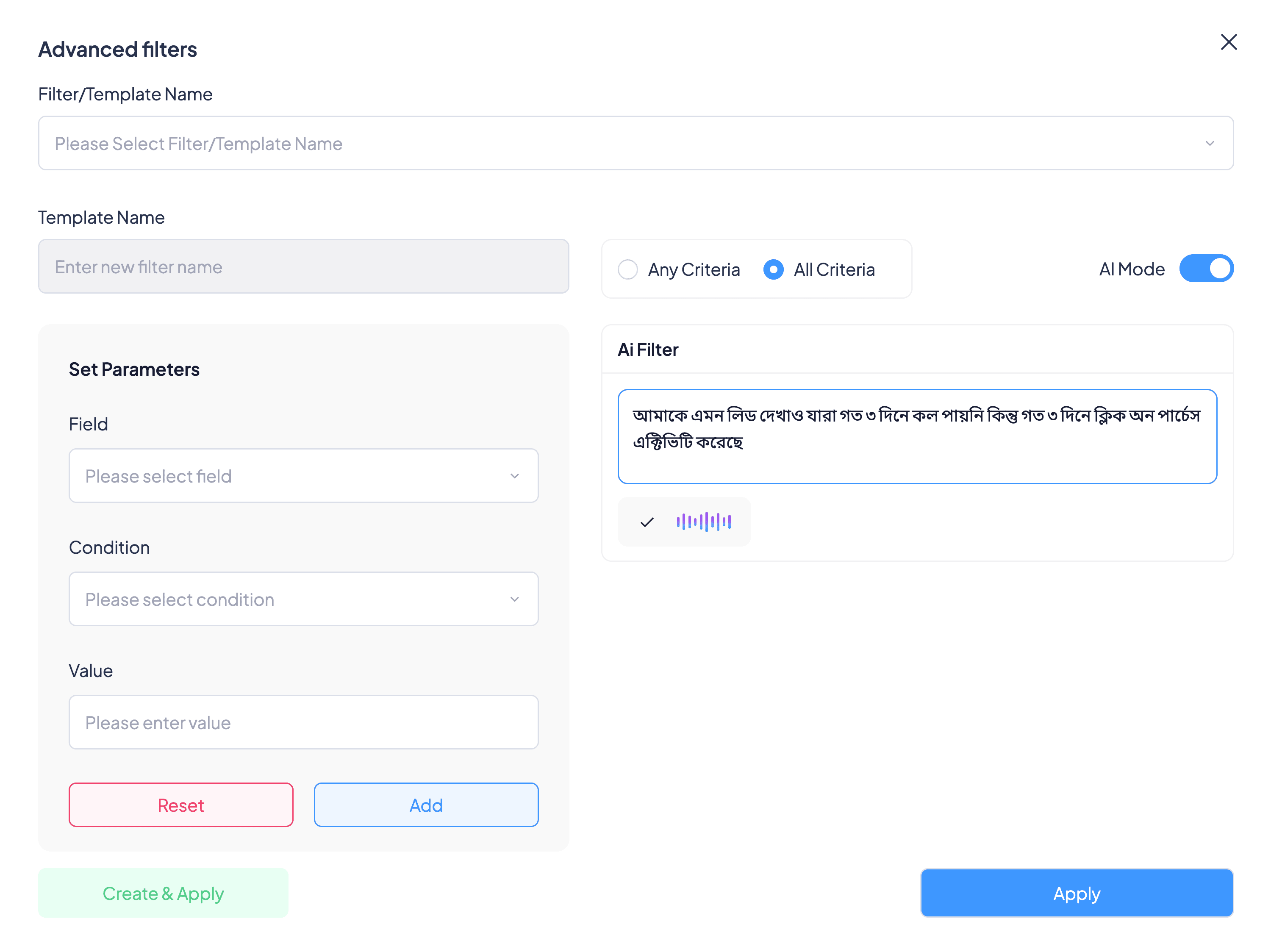
Before every calling session, agents pick which leads to call: students who opened a course but didn't buy, or who haven't been called in a few days. The CRM's Advanced filters can answer almost any question like that, but building one takes field, condition and value, again and again. AI Mode lets the agent just say it.
The problem
- Powerful, but slow. A question like "not called in 3 days, but clicked Purchase in the last 3 days" meant choosing a field, a condition and a value for each part. In the PRD's walkthrough that took about two minutes for one filter.
- Easy to get wrong. With dozens of fields, picking Call Duration instead of Call Count is one wrong click, and the agent calls the wrong list.
- Not in the agent's words. Agents think about leads in Bangla. The builder only speaks in field names.
Goals
- Ask in plain language. Typed or spoken, in Bangla or English.
- Seconds, not minutes. From the question to the lead list in about ten seconds.
- Keep the manual builder. AI Mode sits beside it, not instead of it.
The solution
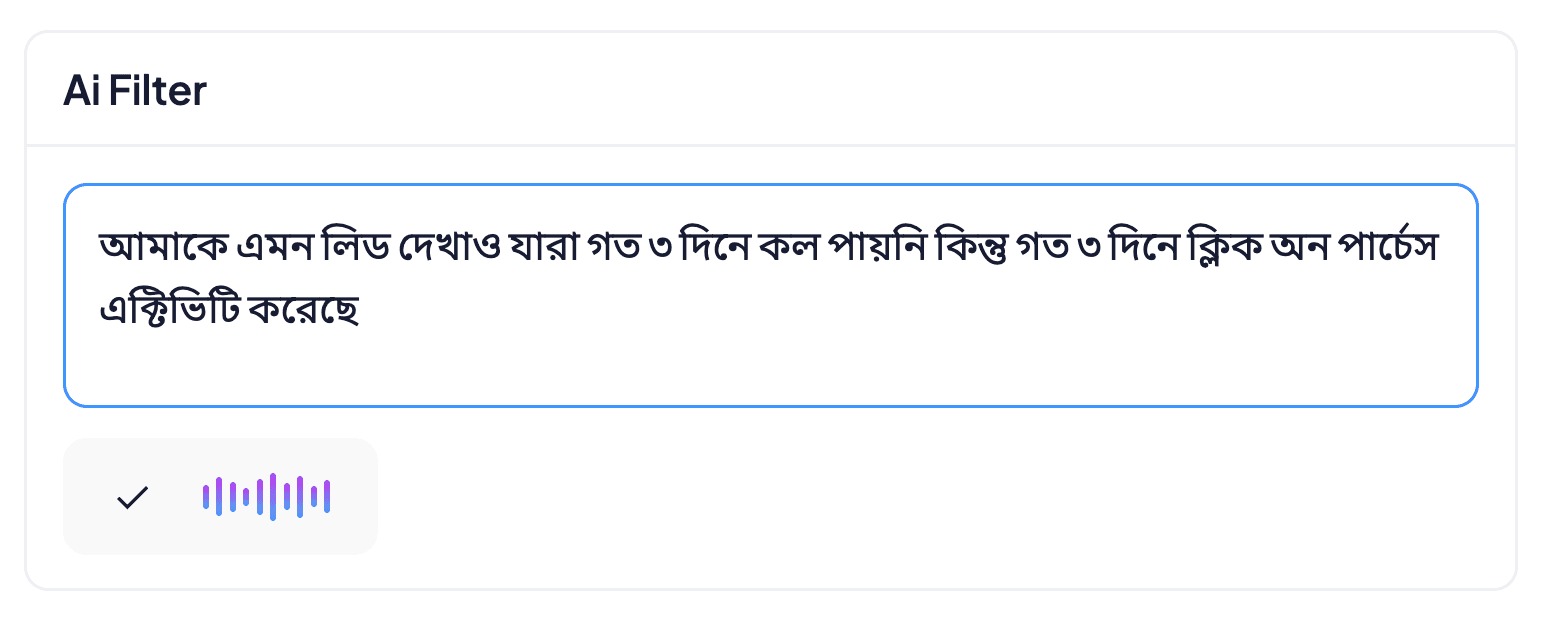
An AI Mode switch in Advanced filters. Turned on, an AI Filter box appears next to the usual builder. The agent types, or taps the microphone and speaks, and the words appear in the box so they can fix anything misheard. Apply sends it to the AI, which turns it into filter conditions, and the matching leads load.
Decisions and trade-offs
A short list of fields, on purpose
AI Mode covers the filters agents use most: class, group, passing year, stage, calling history, owner, activity and key app events like Click on Purchase. The full builder stays for everything else, because the more fields the AI has to choose from, the more often it guesses wrong.
Read it back before Apply
Speech-to-text mishears names and numbers. The words land in an editable box first, so the agent fixes them before anything runs.
Fix by removing, not by arguing
If a condition comes back wrong, the agent removes it and asks again. Asking the AI to edit its own filter added confusion for little gain, so it was cut from the first version.
Beside the builder, not instead
Turning AI Mode on doesn't take away the manual fields, so nobody loses what already works.
Logged and limited
Every request and response is logged with the agent's ID, and the AI service is only reachable from inside our systems, so wrong answers can be traced and fixed.
Rollout
It shipped to a pilot of 20 agents, then widened in waves, including a group of 50 more, and now every agent has it. Each wave came with logging turned on, so we could read real requests and see where the AI misunderstood before adding more people.
What I learned
The best interface for a busy agent is the sentence already in their head. Letting them see what the AI understood, before it acts, is what earns their trust.
The CRM and AI engineering teams built it.
Back to all work