Overview
Shikho's sales agents talk to students and parents all day. On one call they need the right course price, the right coupon, the teacher's background, the call script and answers to common questions. Sales Desk puts all of it in one window inside the student's profile in our CRM, already filtered to the course the student is asking about.
The problem
Everything lived in 5 to 10 Google Sheets, Docs, PDFs and Slides, with a new set of files for every course. An agent kept four or five tabs open next to the CRM and searched for the right row while the student waited on the line.
That cost time on every call and caused real mistakes: an old price, a wrong coupon, a script that had since been updated.
Goals
- One place. Everything an agent needs to sell a course, opened from the lead, without leaving the call.
- Always the right price. Only the coupons the agent's channel is allowed to offer, for this student's course.
- Know if it works. Measure whether agents use it, and what they look for and don't find.
The solution
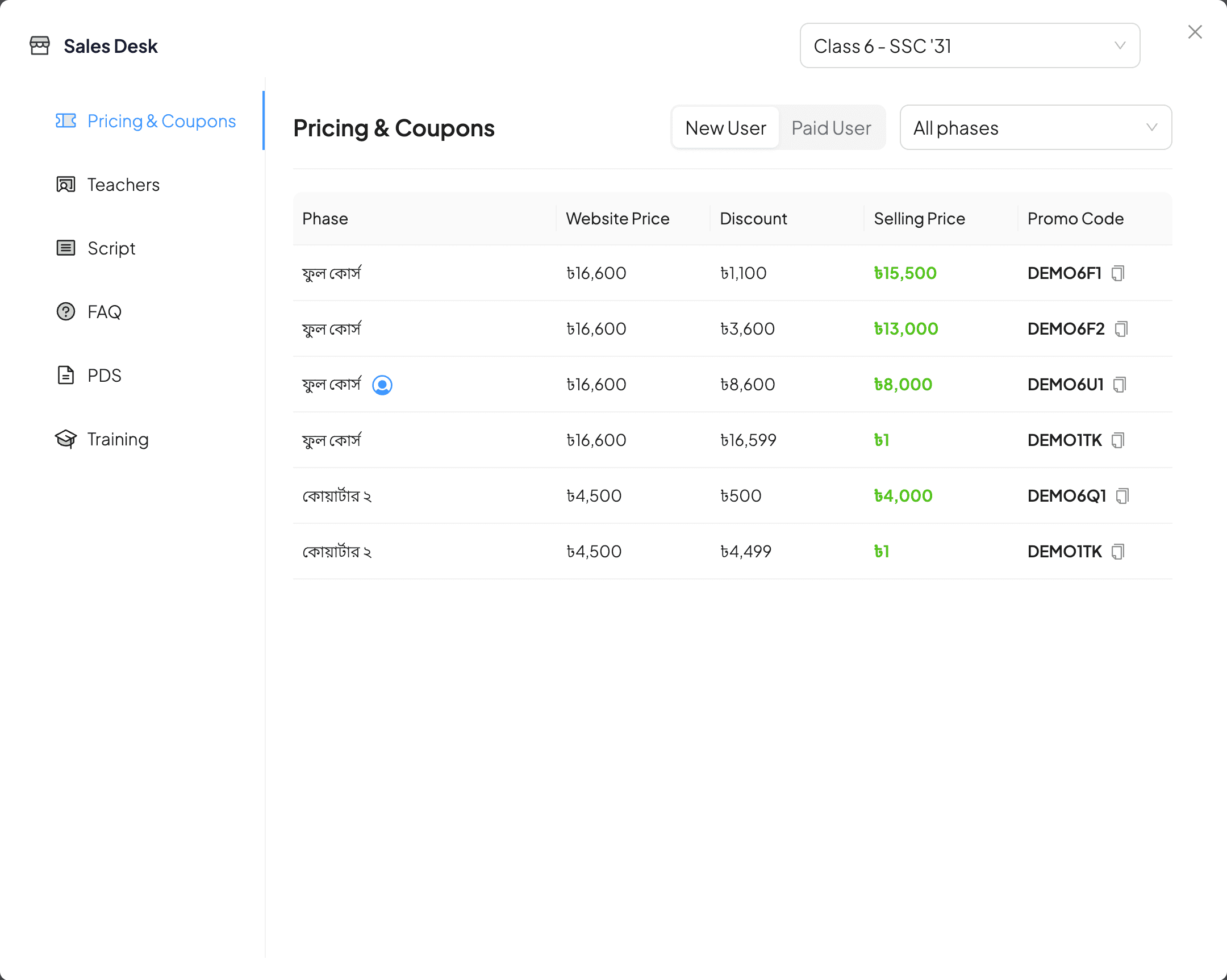
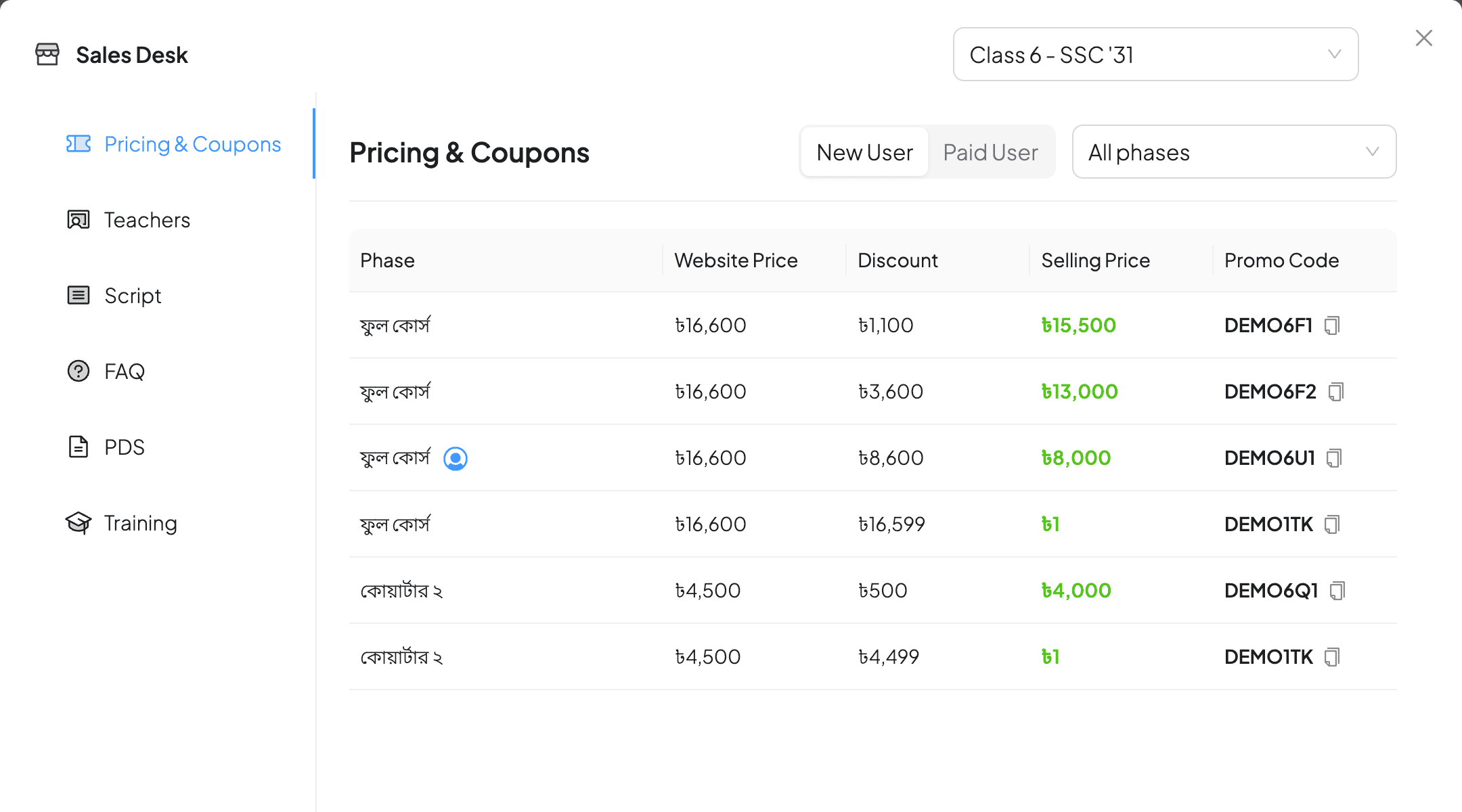
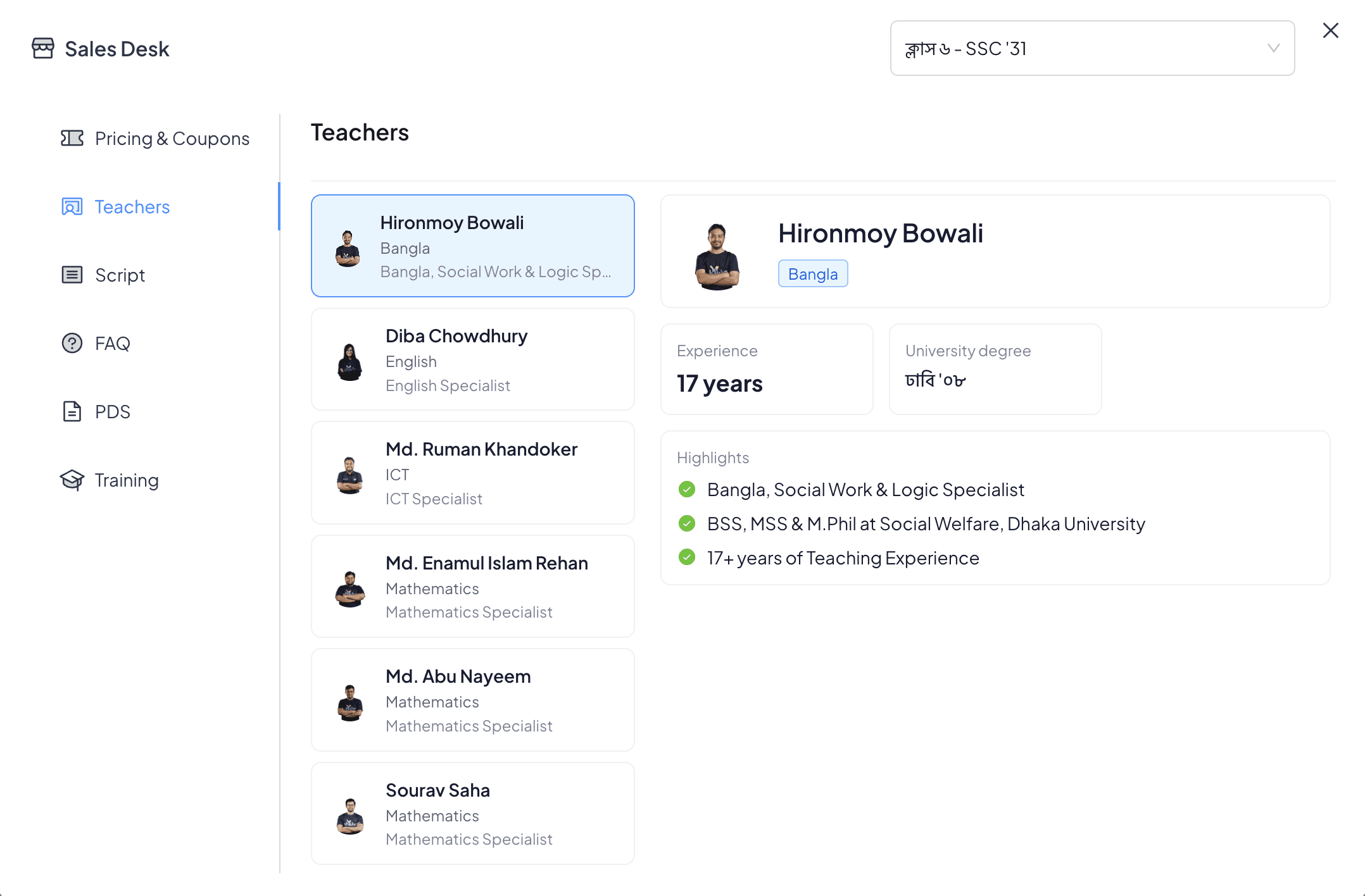
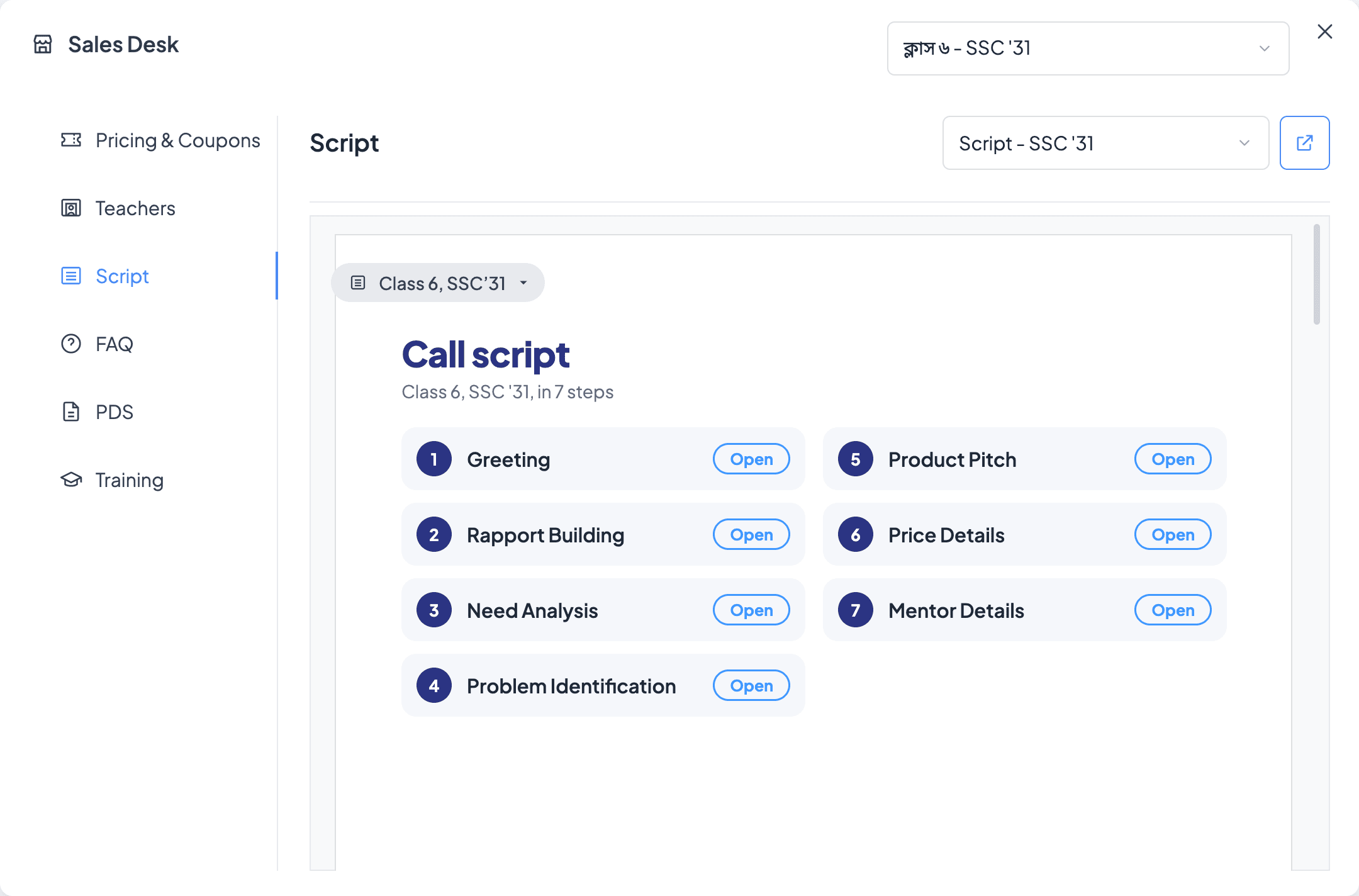
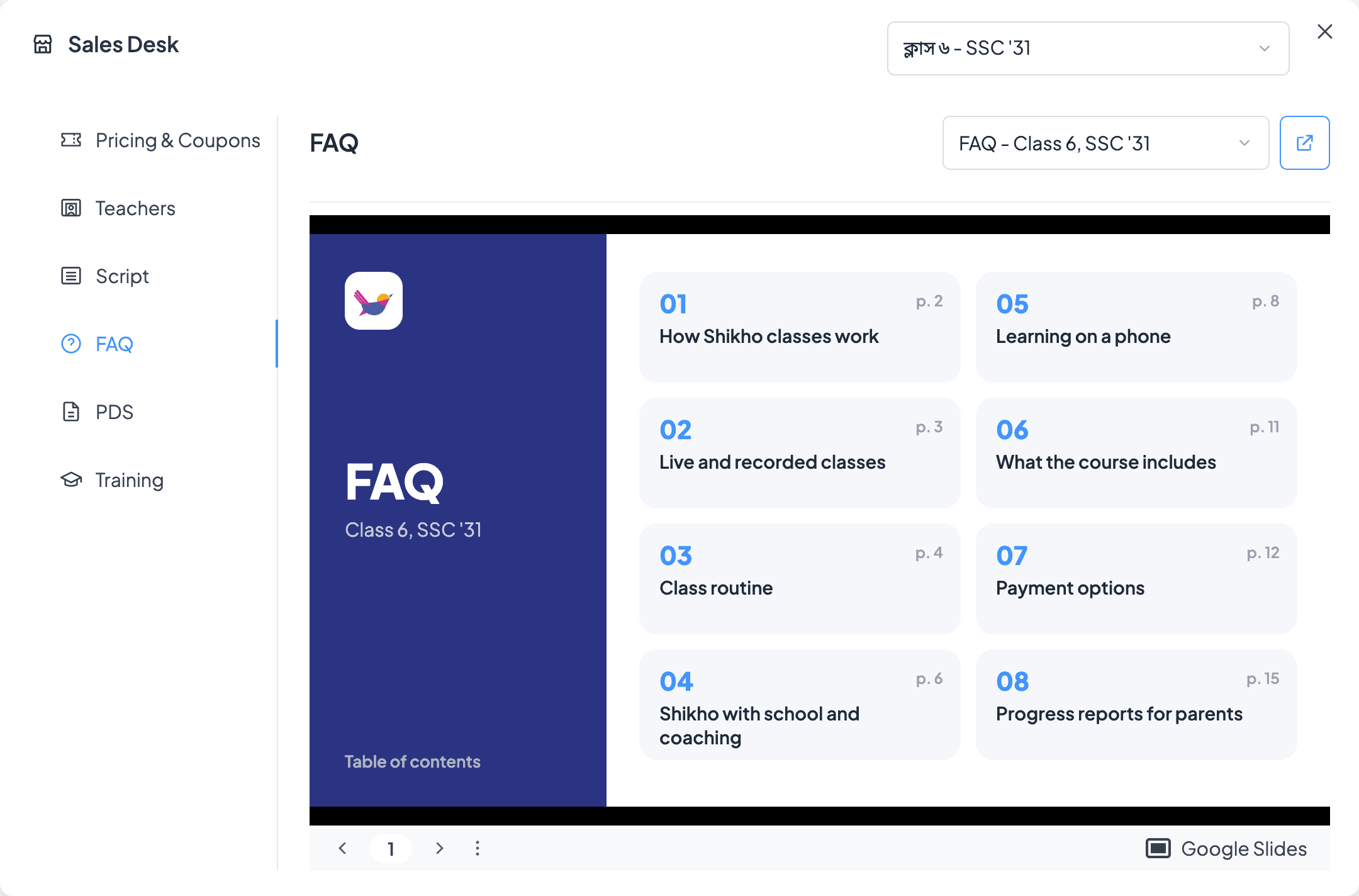
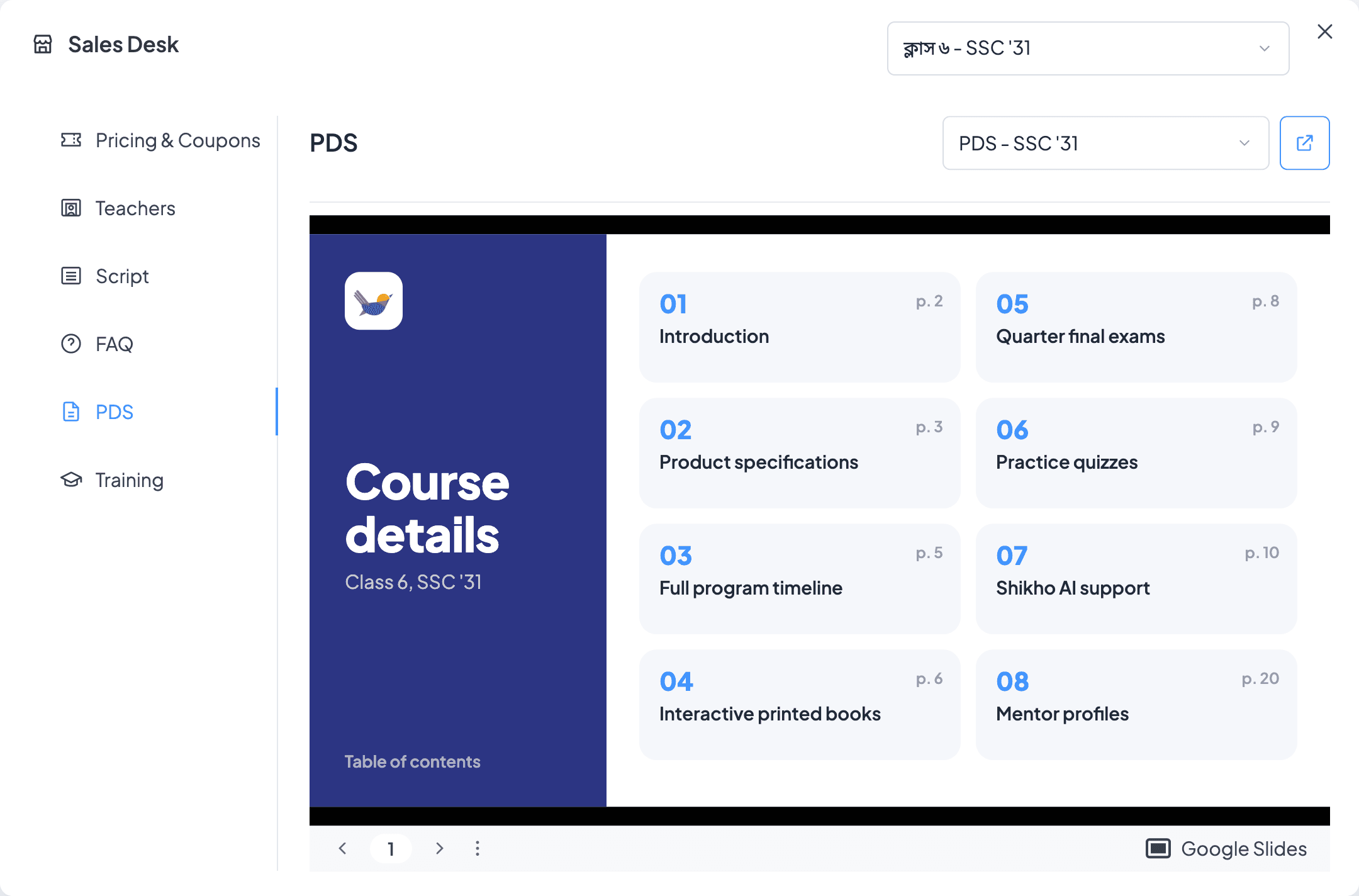
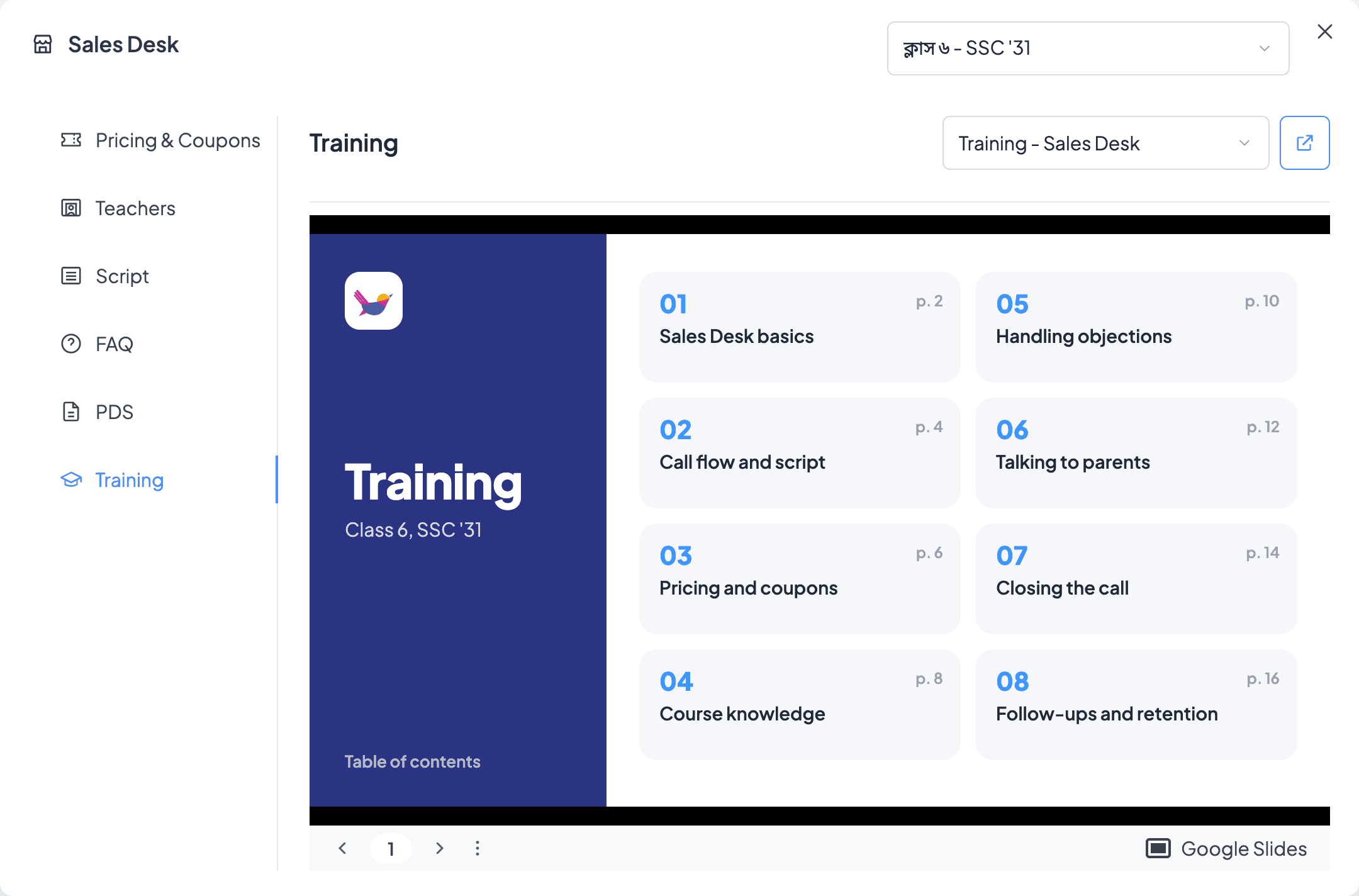
A Sales Desk button in the lead header, on both call screens, next to Make Payment. It opens as a window over the lead, and closing it puts the agent back where they were. The agent picks the course once and six sections filter to it: Pricing & Coupons, Teachers, Script, FAQ, Product details and Training.
Pricing had to handle two kinds of coupon an agent could easily mix up. Some are for a new subscription and some are for a student moving to the next phase of a course they're already in, so a New User or Paid User filter sits before the phase filter and starts on the student's own type. Some coupons only work for certain phone numbers, and the agent can't tell from the screen whether this student's number is one of them, so those rows carry a person icon that reads "User specific coupon" on hover.
Decisions and trade-offs
The course decides everything
The agent picks the course once and every section re-filters. The student's class, group and year already come from the lead, so nothing else is typed.
Create link instead of re-entering
A row in Pricing opens Pay by Link with the course, phase and coupon already filled. The earlier plan kept the two features apart, which meant choosing the same things twice and a chance to choose wrong.
Prices per channel
A telesales agent must never see a CX price. The agent's channel goes with every request, and only that channel's coupons come back.
New or Paid user first
A coupon for a new subscription quoted to a student who is already enrolled, or the other way round, is a wrong price on the call. So the coupon kind is chosen before the phase, defaults to the student's own type, and greys out when a course only has one kind.
Flag number-specific coupons
Some codes only work for certain phone numbers. Hiding them would lose valid offers, and showing them plain would invite failed payments, so they stay in the list with an icon that says what they are.
A coupon on every phase
Every phase always has a coupon to use, so no sale goes out without one and every sale can be traced back to the channel that made it.
Launch and results
93%
of active agents were using it within 3 days. The highest adoption of anything we've shipped in our CRM.
After launch
Sales Desk replaces a habit, and habits don't change just because a window exists. Every visit is recorded click by click, so we can see what agents reach for and what they went looking for and didn't find. When a section comes up empty, the reason is saved too, because each one needs a different person to fix it:
- Nothing published. No material exists for that course yet.
- Scoped out. Material exists, but not for this agent's group or this student.
- No channel. The agent's channel isn't set, so Pricing has nothing to show.
That list became the publishing backlog, written by the people who needed the material. One thing we missed: the first release listed every course. Showing only the student's own class came in the second revision.
What I learned
The biggest win wasn't adding more features. It was putting the information in the right place. When the right information sits in the right place, users don't need convincing to use it.
The idea behind the solution came from our sales team, and the CRM engineering team built it.
Back to all work